Site work moves fast. Your crews know what they did, what took how long, and what got in the way. But getting that knowledge into the system takes forever. Filling out forms, hunting through diaries for patterns, pulling numbers for reports. Hours of admin for every day of work.
This month, Capture has landed on mobile, and Aphex can now connect to Claude, ChatGPT and other AI tools. Together, they solve the data entry problem from both ends - getting information in, and insights out faster.
We are so excited to share these updates, so let's dive in.
Capture 💬
Instead of wrestling site diary forms onsite or writing in notebooks to type out later, your team can simply talk about what they've done. Capture listens, structures the entry, and saves it.
How it works:
1. Describe your day
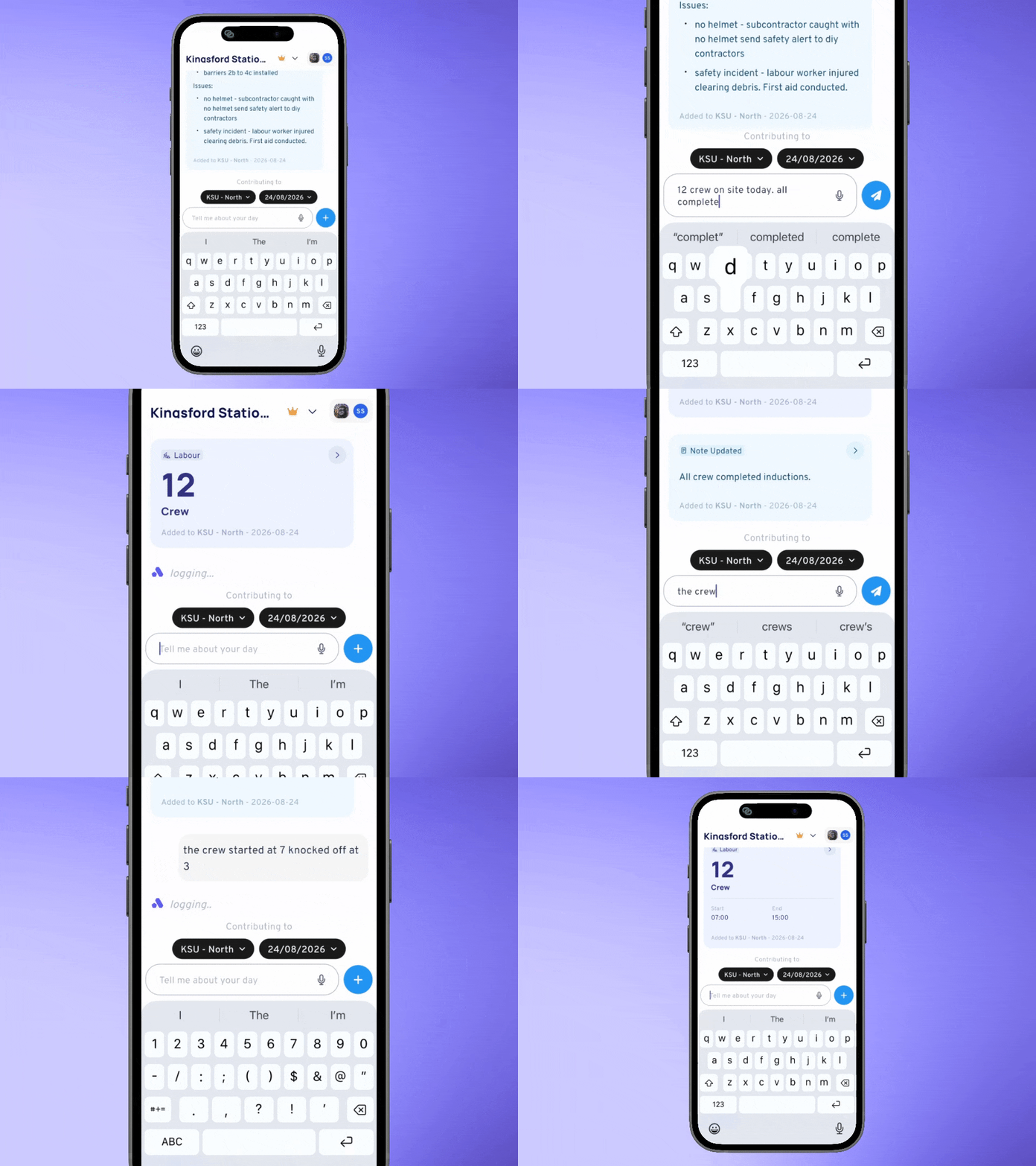
Navigate to Capture from the mobile app. Pick your diary and date, and talk or type about what happened on site:
2. Review and edit
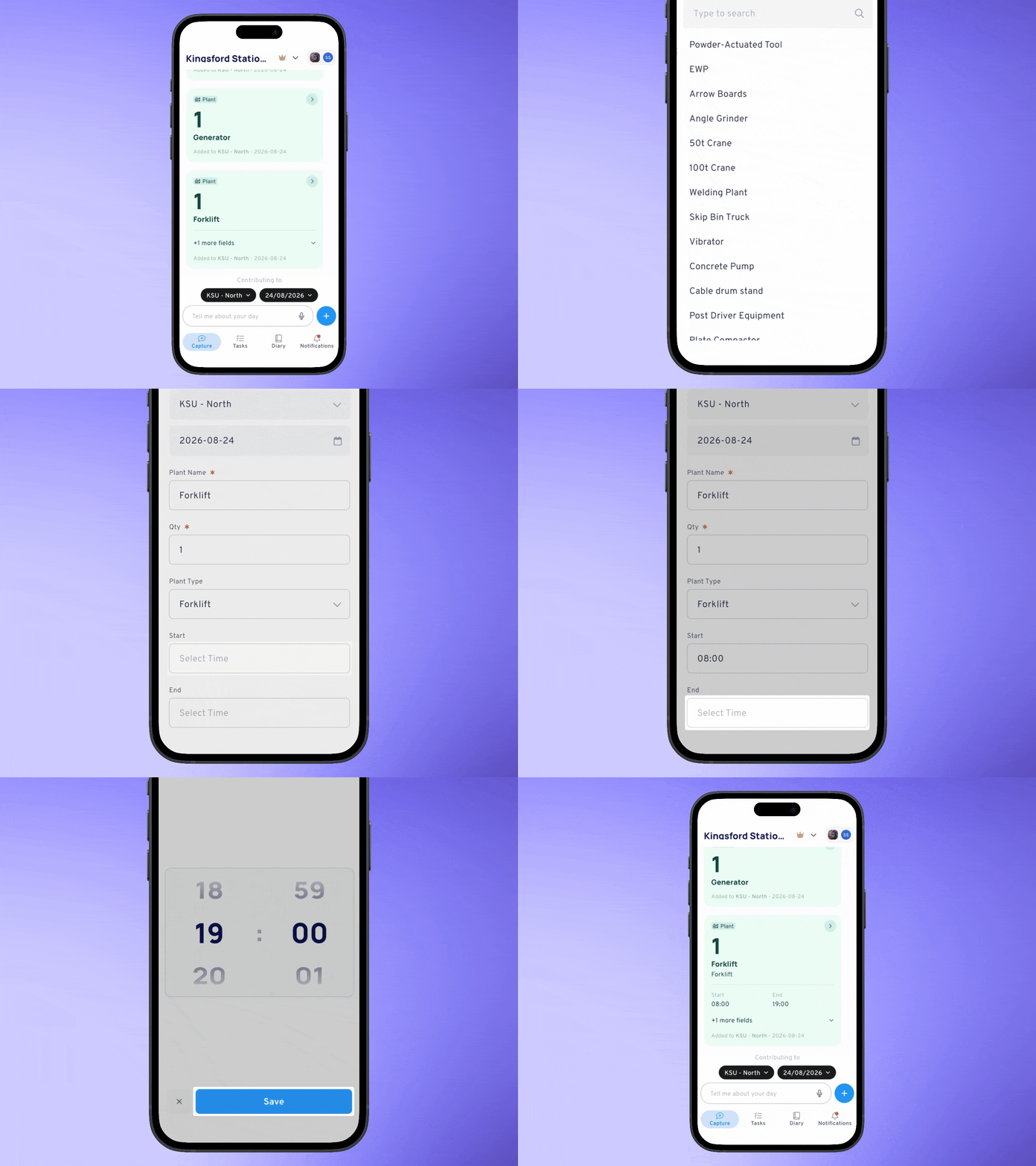
Capture proposes structured cards - labour, plant, notes - recording all the relevant details. Ask Capture to tweak it, or make manual edits. Any edits made by Capture will prompt you to confirm - so everything is in your control.
3. Make manual contributions
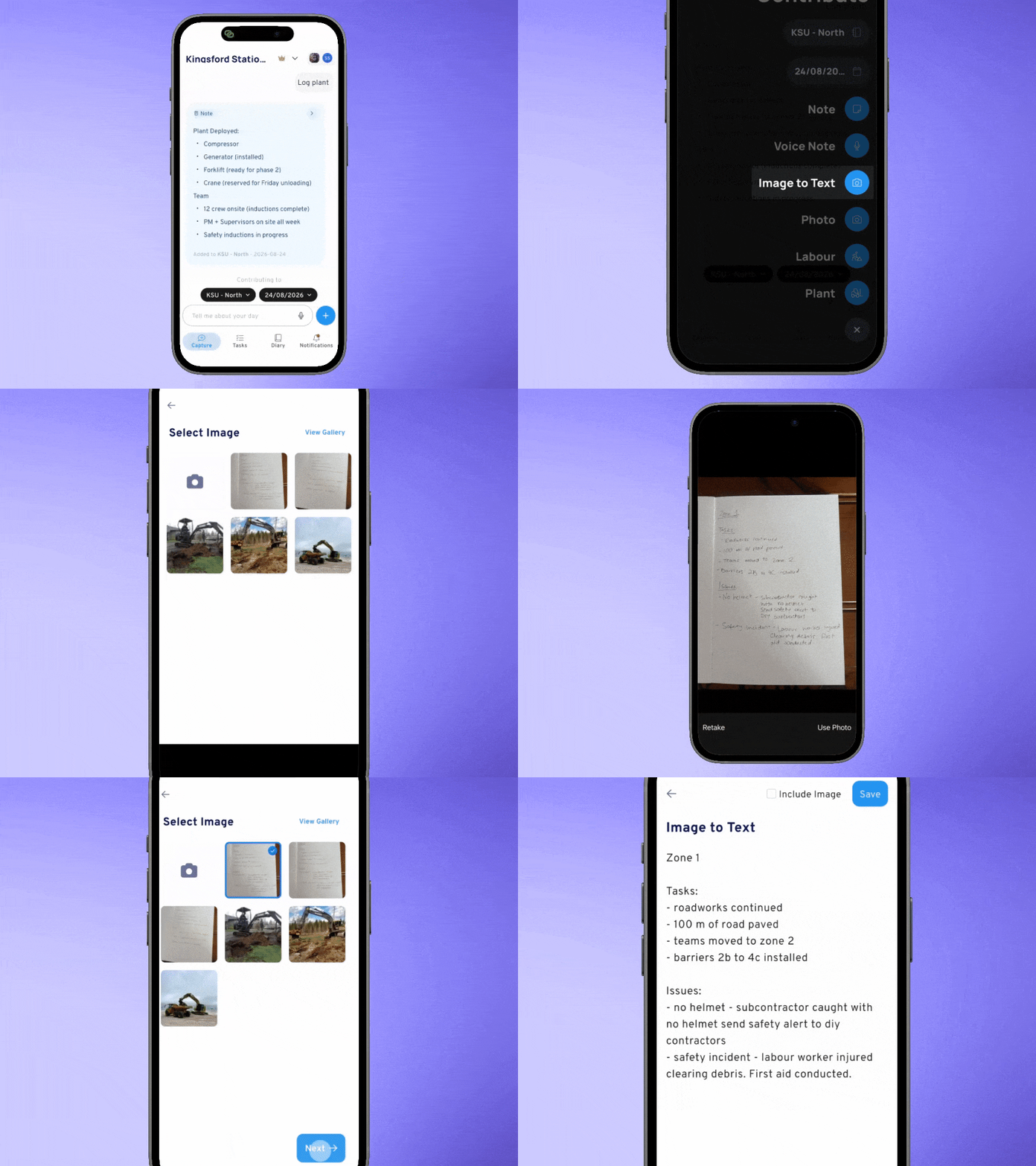
If you feel like skipping the AI conversation, make a manual contribution - handy if you want to transcribe handwritten notes:
4. Copy from yesterday's work
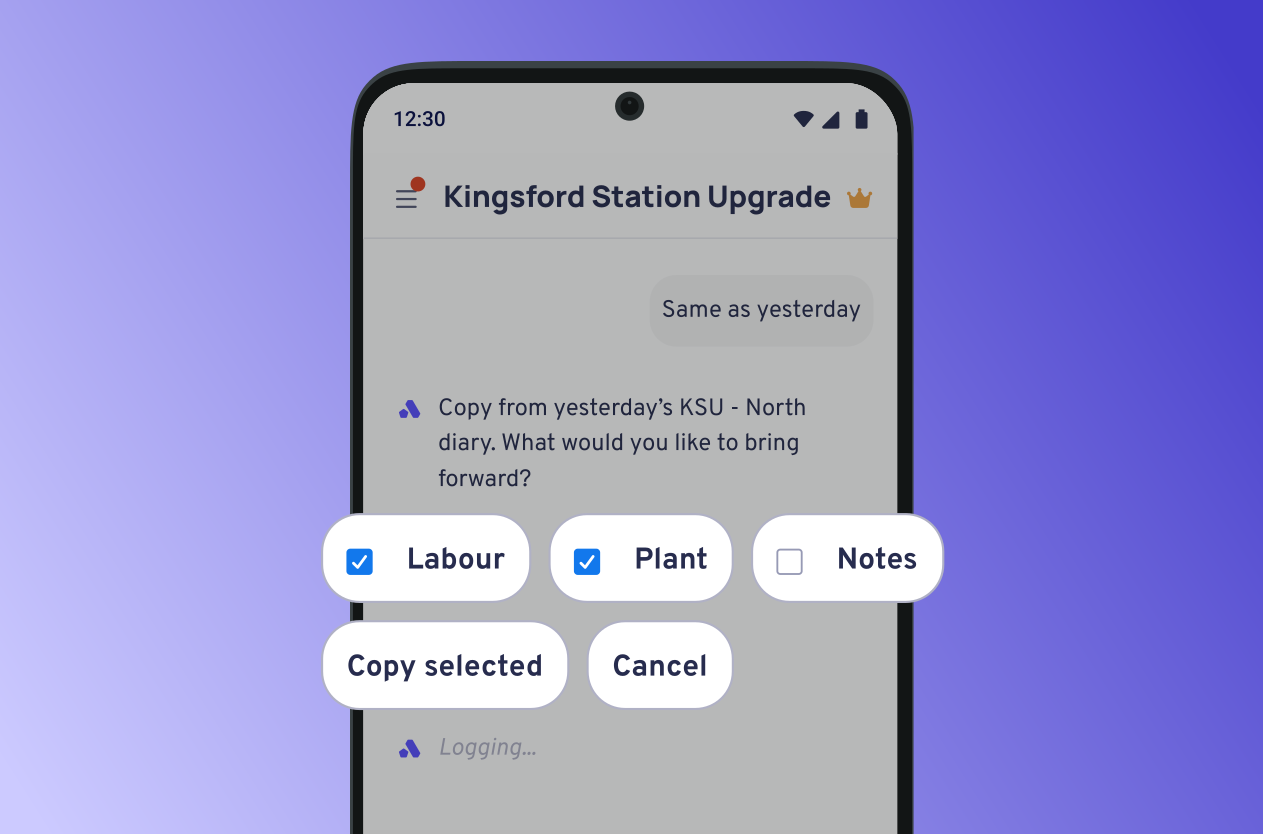
Save the repeated data entry by asking Capture to copy from yesterday's work. Select what details you want to copy over:
Continue the conversation until all the details have been captured. Once complete, you can submit the entry from the Diary section of the app.
Connect Aphex to your AI Tools 🦾
Rather than scrolling through Diary Entries to identify early warning signs, let your AI tool do it for you. The MCP connects Aphex Diary data to Claude, ChatGPT, Copilot and other AI tools. Ask your AI to summarise, search, and extract insights from your diaries without manually pulling numbers or building reports.
Here's how it works:
1. Enable the MCP
Your admin turns on the MCP in Aphex settings (set up a quick chat with us first to enable the feature).
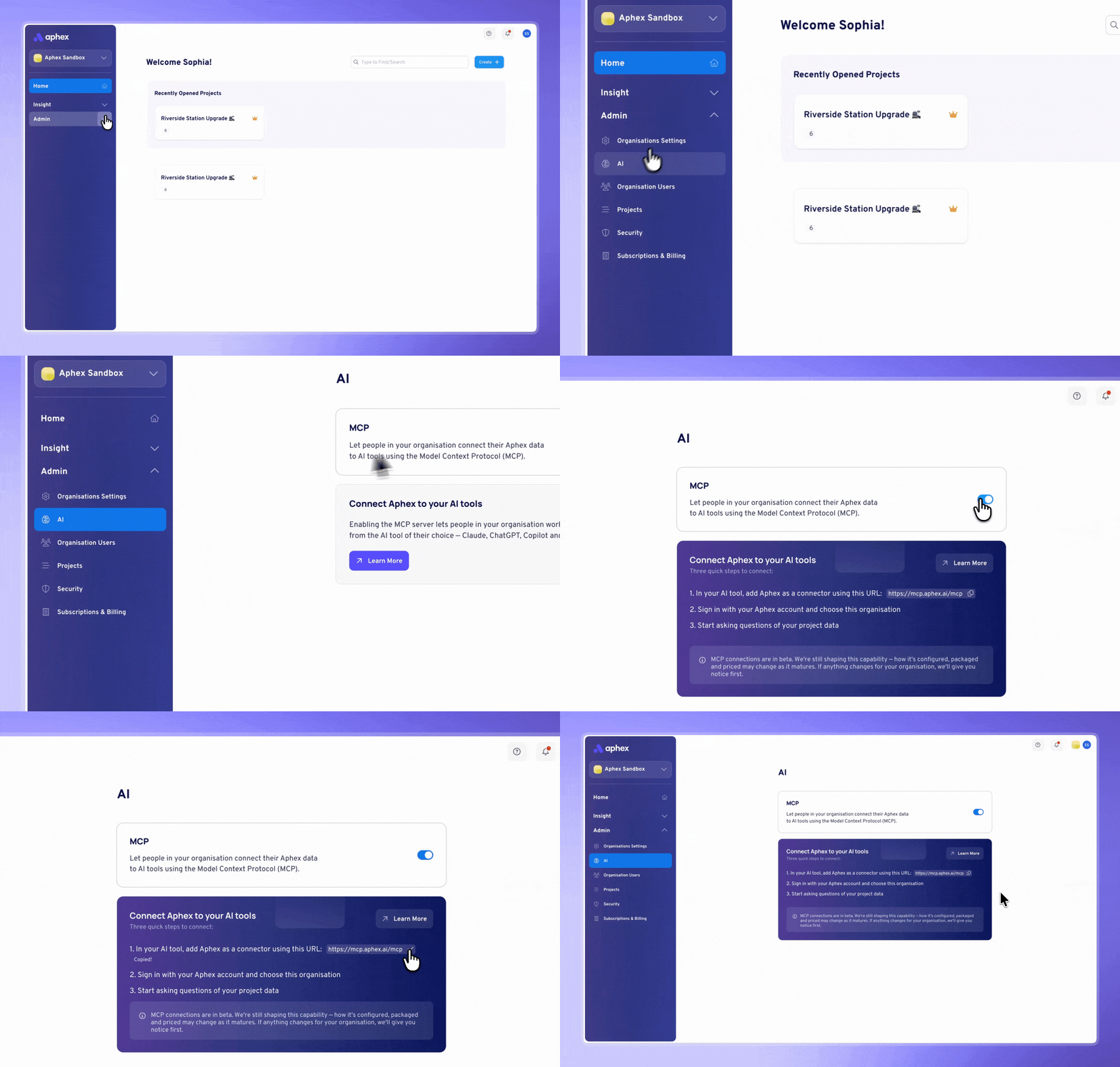
2. Connect to your AI tool
Add the Aphex connector in Claude, Perplexity, or your AI tool of choice. Follow the sign-in flow, authenticate with your Aphex account, and select your organisation.
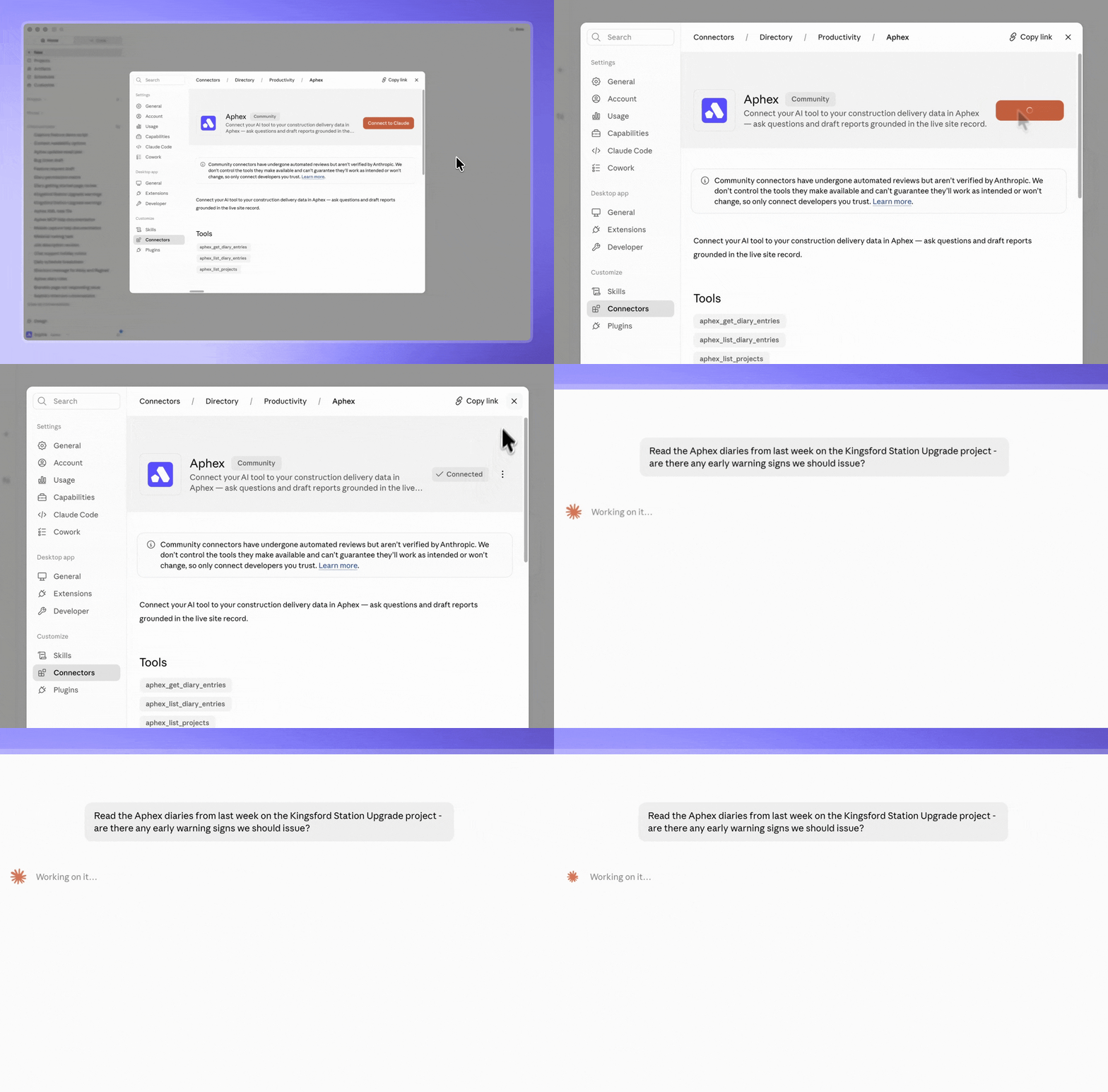
3. Ask away
Once connected, enable Aphex in your tool's menu and start asking questions about your Diary. Your AI reads only the data your account has access to.
Here are some ideas:
"Summarise total steel fixer hours across last week's diaries"
Labour reconciliation in seconds instead of hunting through entries.
"Build me a weekly report from these diaries"
Auto-draft client reports. Your AI reads the data; you review and send.
"Find every record mentioning the XYZ Subcontractor over the past two months"
Subcontractor performance reviews without manual search.
"Flag all diaries mentioning a delay and summarise the reasons"
Early warning system. Spot patterns in delays without reading every diary
Together, Capture and the MCP eliminate the biggest time-sinks in project management - the typing, the copying, the manual report-building, the hunting through old diaries for a number you need.
For the full setup guides, head to the Capture help docs and MCP help docs.

But wait, there's more! 🛠️
Alongside these exciting updates, we've shipped a round of bug fixes and smaller improvements, you can head to the changelog for the full list.
That's everything for this release. These features were all shaped by your feedback, requests and ideas - thank you. If you've got thoughts on what we should build next, you can view the roadmap and request features here.
Until next time,
Team Aphex 💜