Product
What's New in Aphex: January 2025
Discover new features that give you full control over task handling, dependencies, milestones, and more - making your Aphex imports smoother than ever
December brings a few changes we think you’ll feel right away.
Sublayer Policies now let you control exactly which sublayers make it to your Map - a simple change that results in much faster load times, especially for projects using large GIS or drone datasets.
On the Gantt, clearer indicators for driving logic, float, and lag changes give you immediate insight into how your schedule is behaving, helping you make decisions with more confidence and less digging.
Thanks for being on the journey with us this year 💜 Your feedback has shaped every step, and we’re so excited to bring you some much bigger updates in the year ahead!
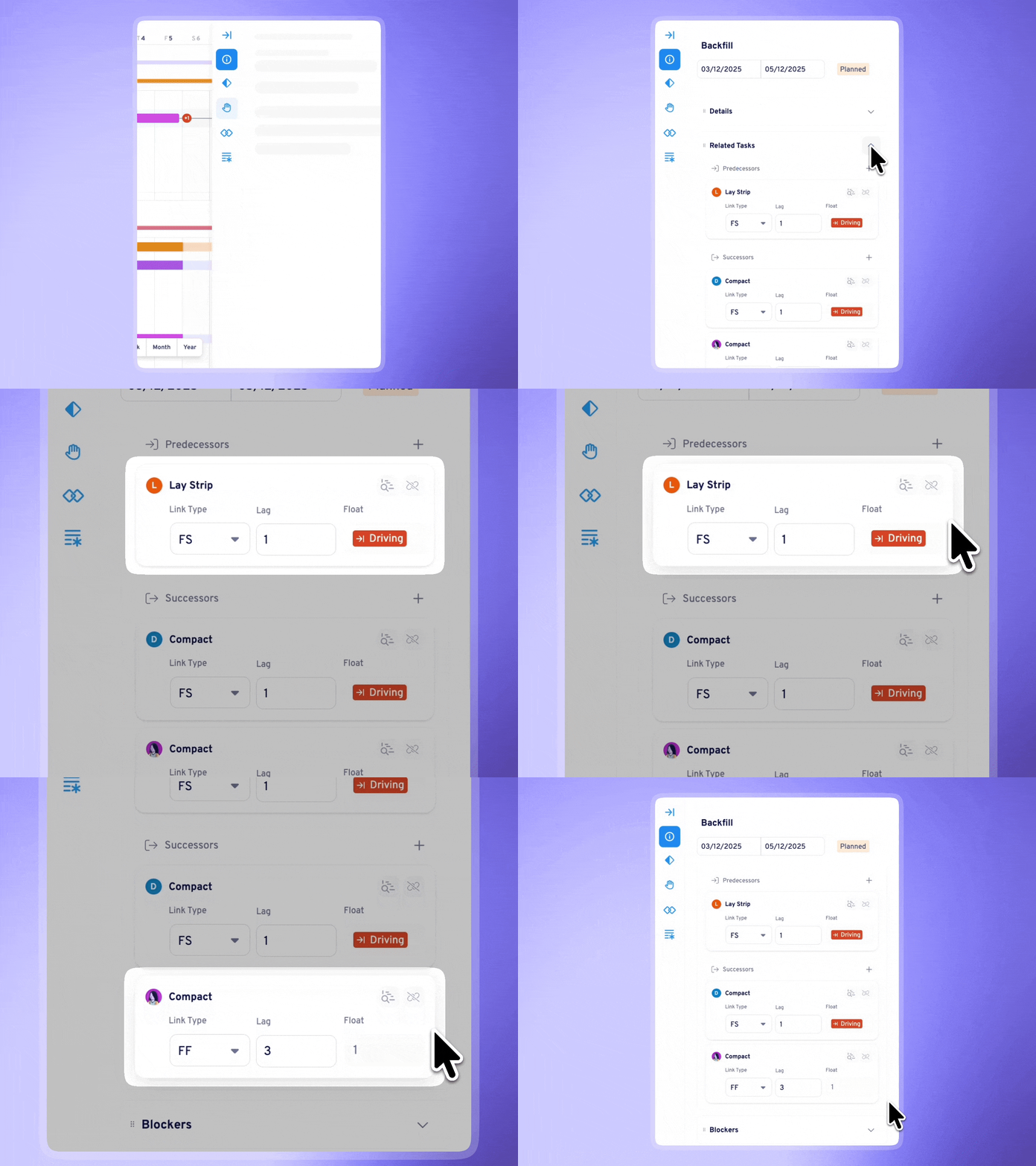
This means you can now:
For planners working through dense sequences or running coordination meetings, this is a major improvement in understanding schedule behaviour at a glance - especially valuable when you need to explain schedule impacts to stakeholders in real time.
📝 Check out how Driving Logic & Float Values work in more detail
.png?width=760&height=377&name=Sub%20layer%20policies%20(1).png)
For teams working with large GIS sources, drone flights, or multi-layer survey data, the performance of the Map page needs to keep up with the size and complexity of the information being loaded.
Until now, connecting a layer meant loading everything - even when you only needed the most recent drone flights or a specific set of survey points.
Sublayer Policies change that.
When you connect a layer, you can now pick from four simple policy types:
By fetching only the layers you actually need:
Whether you’re reviewing a weekly drone flight, mapping out utilities, or comparing survey points over time, Sublayer Policies help you keep your Map focused, intentional, and fast.
📝 Check out how Layer Policies work in more detail
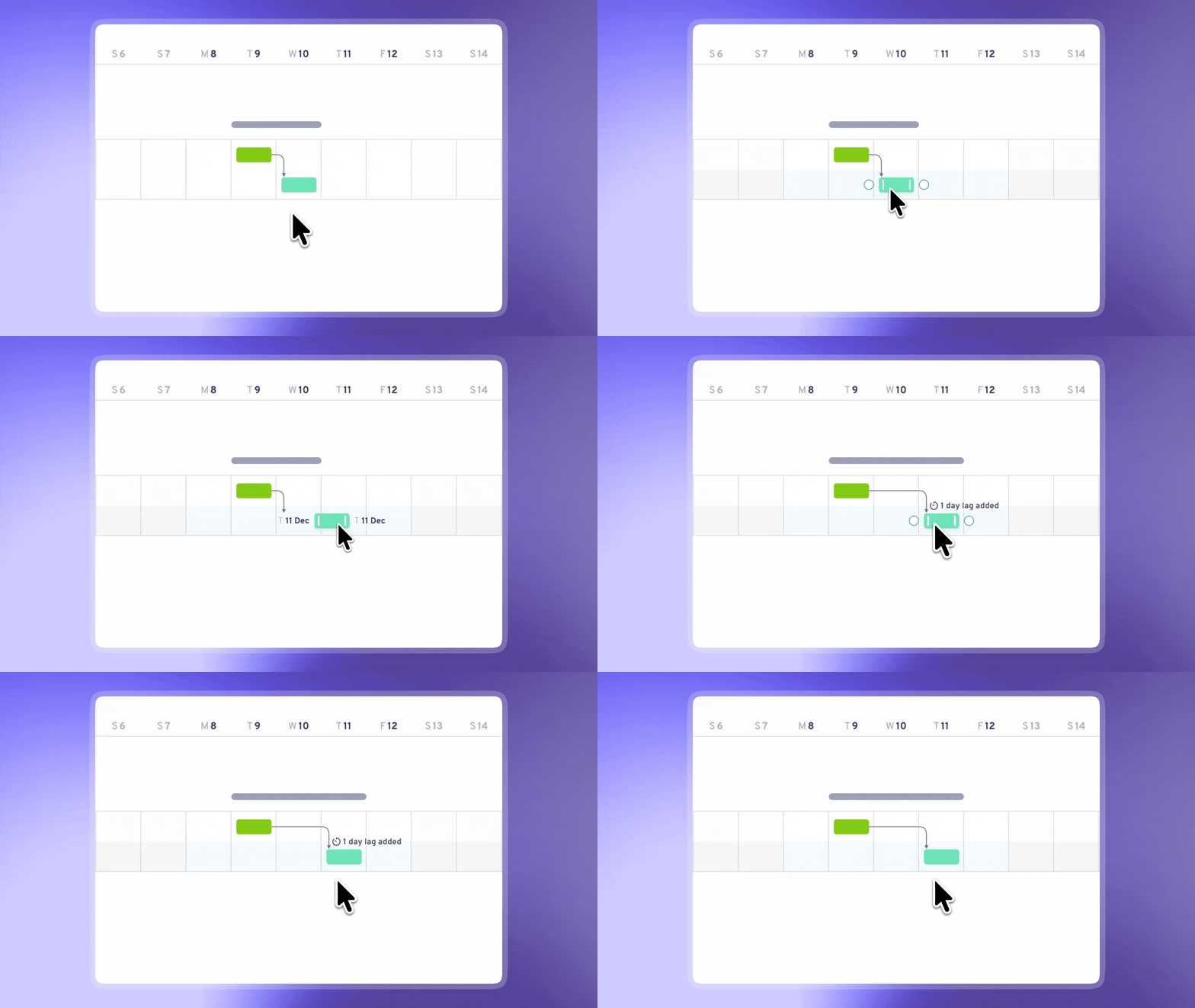
Aphex now highlights lag adjustments directly on the Gantt, helping you understand the impact of each move and maintain clean, intentional logic as you refine your plan. Whenever your interactions add or reduce lag, a brief on-screen indicator appears directly on the Gantt, calling out:
When you’re rapidly adjusting tasks and dependencies, it’s easy to accidentally introduce lag without realising it. This visual feedback makes it much easier to:
• Stay in control of your logic as you work • Catch unintended adjustments early • Understand the cascading impact of each change before moving on
No more discovering mystery lag values day later when reviewing your plan.
📝 Check out how the Lag Change Indicator works in more detail
Discover new features that give you full control over task handling, dependencies, milestones, and more - making your Aphex imports smoother than ever